The Problem with Passwords
The average person has over 100 online accounts. They reuse passwords across sites, forget them constantly, and get frustrated by complexity requirements like "must include uppercase, number, special character, and the name of your first pet."
For your Framer site, this means:
• Sign-up drop-off — Users abandon registration when they have to create yet another password.
• Sign-in friction — Users forget their password and either leave or go through the reset flow.
• Support burden — "I forgot my password" is the #1 auth support request.
• Security risk — Reused passwords mean a breach on another site compromises your users.
Passwordless authentication eliminates all of these problems.
How Magic Links Work
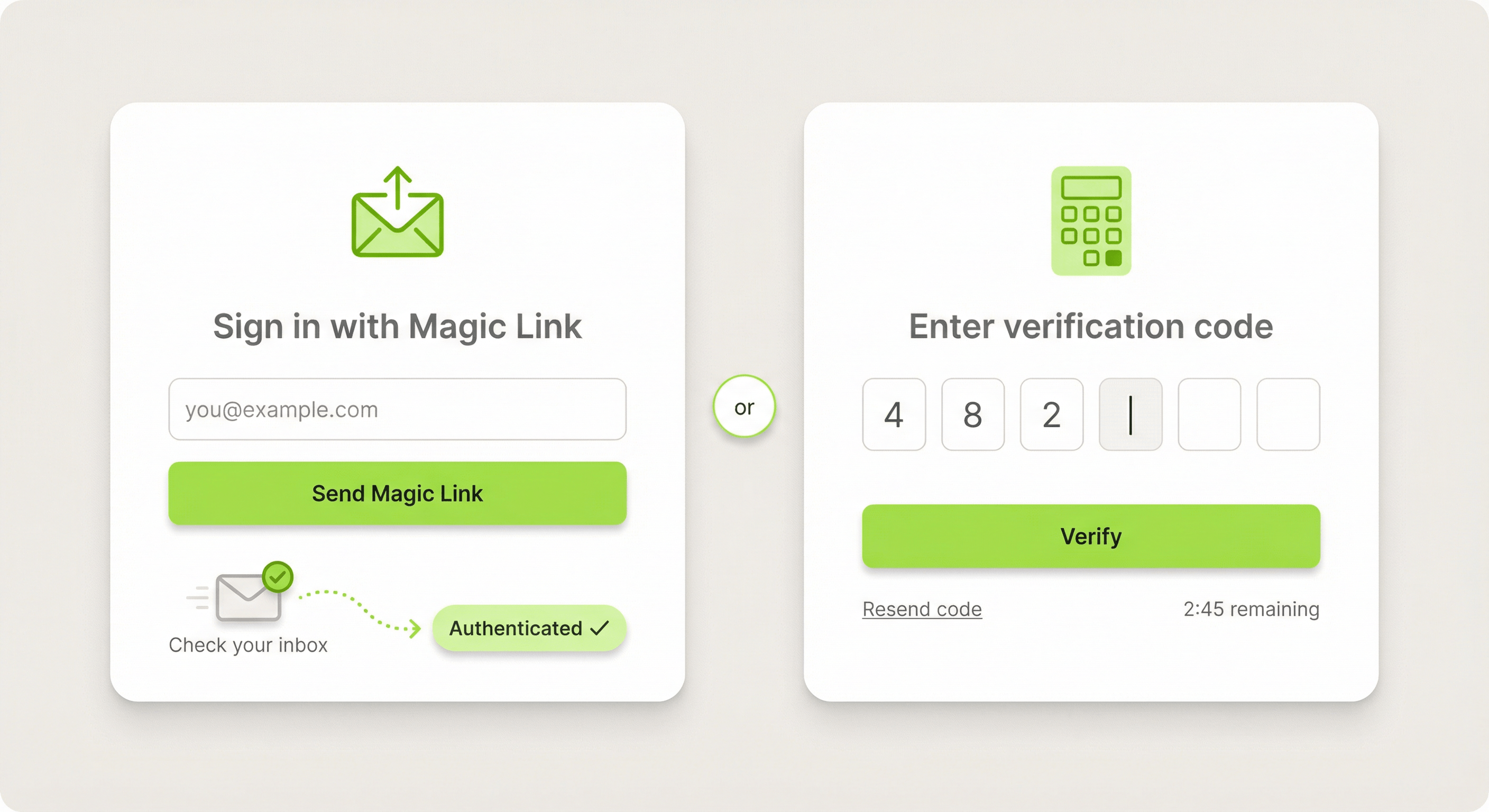
Magic links are the simplest form of passwordless auth:
1. User visits your sign-in page and enters their email.
2. Auth Plugin sends them an email with a unique, time-limited link.
3. User opens their email and clicks the link.
4. They're instantly authenticated and redirected to your dashboard.
No password to create. No password to remember. No password to reset. The user's email inbox is their authentication.
Best for:
• Newsletter-driven products (users are already in their inbox)
• Low-frequency apps (users visit weekly or monthly and forget passwords)
• Mobile users (typing passwords on phones is painful)
• Sites where reducing friction is the top priority
How OTP Verification Works
OTP (One-Time Password) uses a short numeric code instead of a link:
1. User enters their email on your sign-in page.
2. Auth Plugin sends a 4-6 digit code to their email.
3. User types the code into your site.
4. Code is verified → user is authenticated.
OTP feels more secure to users because they're actively entering a code rather than clicking a link. It also works better in scenarios where the user might be on a different device than their email.
Best for:
• Higher-security apps (feels more intentional than a link click)
• Two-factor authentication (as a second step after email/password)
• Apps where users might sign in on a shared or public computer
• Verification flows (confirming email ownership during registration)
Magic Links vs OTP: Which to Choose
Both eliminate passwords, but they serve different needs:
Magic Links:
• Fewer steps (click vs. type)
• Better for mobile (no code to type)
• Users must switch to email app and back
• Can be slow if email delivery is delayed
OTP:
• Users stay on your site (no app switching after seeing the code)
• Feels more secure and intentional
• Works when users check email on a different device
• Configurable code length (4-6 digits)
Our recommendation: Use Magic Links as your default passwordless method. Use OTP when security perception matters or when you need a verification step in a multi-step flow.
You can also offer both and let users choose.
Setting Up Passwordless Auth in Framer
Magic Link Setup:
1. Create a page at /magic-link in Framer
2. Insert the Magic Link Form component from Auth Plugin > Components
3. Drag it onto the page
4. Customize the accent color and button text
5. Done. Users enter their email and receive the link.
OTP Setup:
1. Create a page at /verify in Framer
2. Insert the OTP Verification component
3. Configure the code length (4 or 6 digits) and expiry time
4. Done. Users enter their email, receive a code, and type it in.
Branding the Emails:
Go to Settings > Branding in the plugin panel. Set your app name, logo, primary color, and support email. Both magic link and OTP emails will use your branding. Preview them in Settings > Email Preview.
The Conversion Impact
Companies that switch from passwords to passwordless auth consistently report:
• 20-30% fewer sign-in drop-offs — Users don't abandon the flow because they forgot their password.
• 50% fewer support tickets — No more "reset my password" requests.
• Higher return rates — When signing in is effortless, users come back more often.
• Faster onboarding — New users go from "enter email" to "inside your app" in seconds.
If your Framer site is losing users at the sign-in step, passwordless auth is the single highest-impact change you can make.